A private thinking tool for the AI age
Own your
thoughts.
We are quickly moving into the future where big AI powered cloud eats all thinking that we produce and then re-sells it to us at the price of a subscription. We have to fight back by building the future that we want.
Enliner is an experiment, an artifact and a tool: a human-designed, AI-coded opinionated Markdown outliner with a set of thinking tools: voice memos, call transcription, a knowledge graph, and AI tools for brainstorming, synthesis and critique. It runs open edge models on your own Mac.
There is a license and a price (we all need to eat), and you can use it forever with a free year of upgrades.
Sync is supported via iCloud, which is fine for most folks, or a self-hosted Loro CRDT relay: a Rust binary that does cryptographically-powered user management. You can run it on your own SBC or a Mac in an office.
Enliner is offline-first: all functionality is contained on your machine, including the AI features. It does not transmit any data anywhere. No telemetry, no user tracking. The only connections it makes are for licensing and model download.
Enliner runs only on macOS 26+ and Apple Silicon. Your computer should have 16GB of RAM for basic AI functionality; 64GB+ is recommended for advanced AI features.
Product
See it working.
Enliner is a real, running app. Here is what it looks like doing the things you would actually use it for, captured from the Mac it runs on.
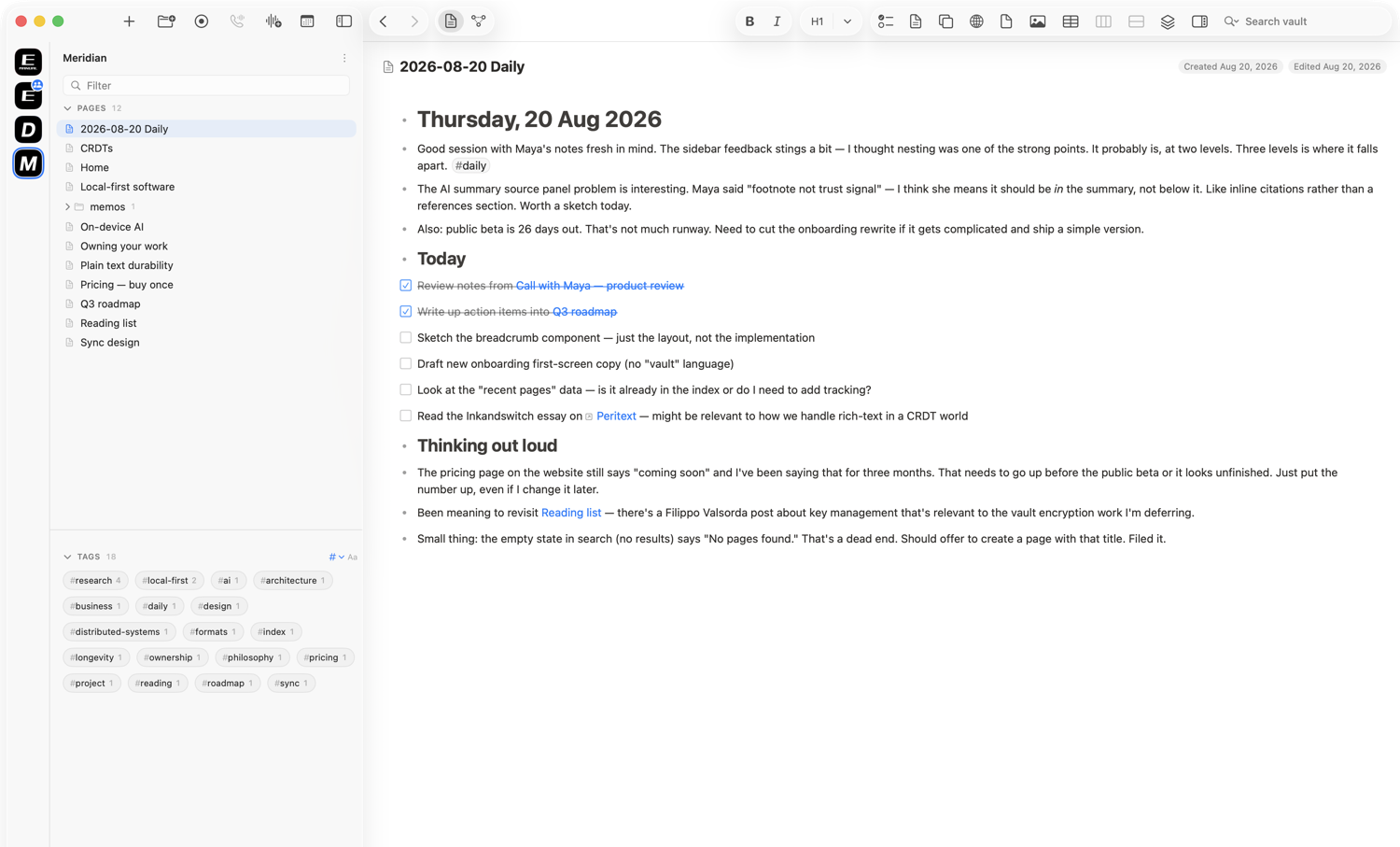
An outliner that stays out of your way
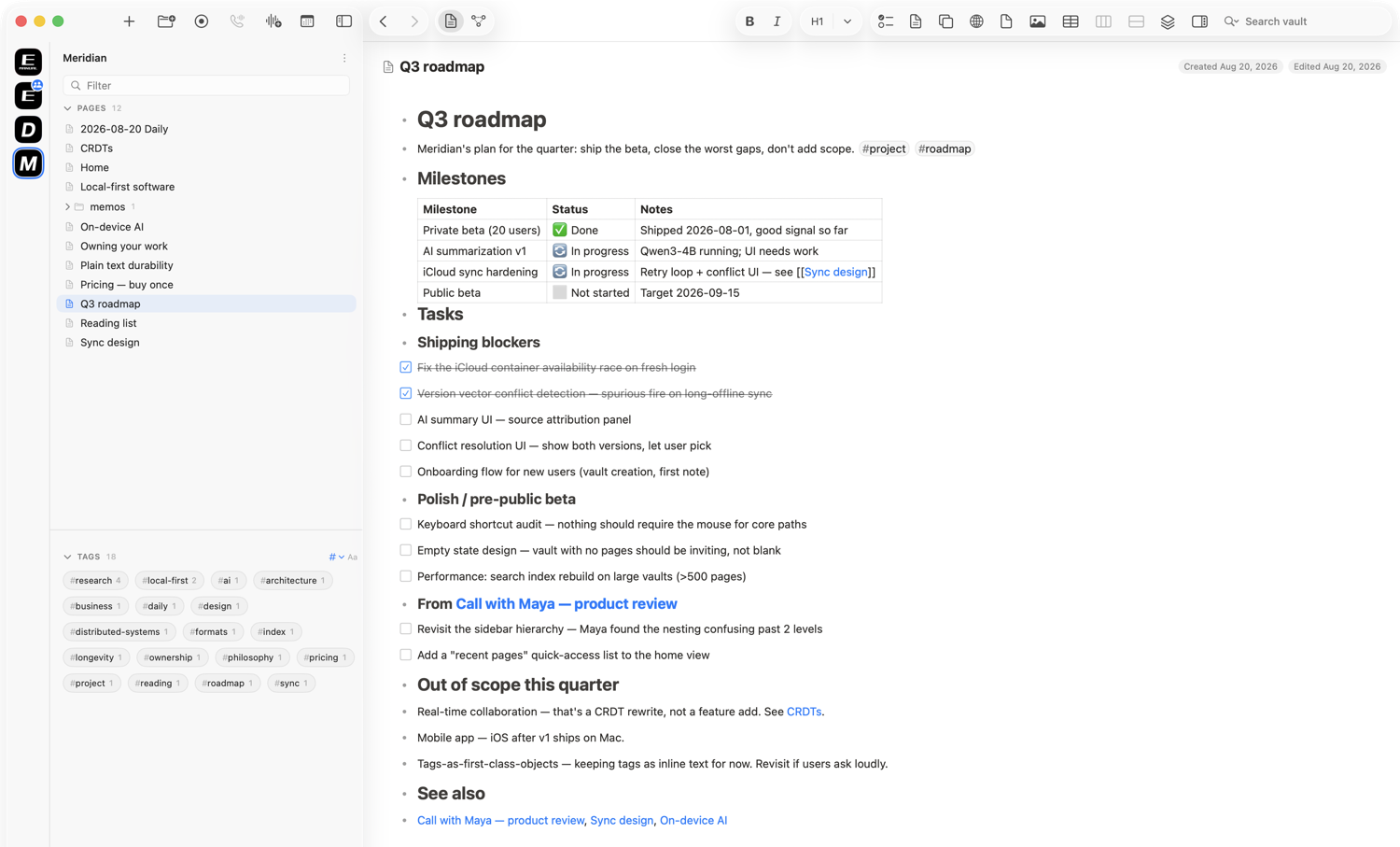
Every line is a block you can fold, nest, tag, and link. Pages connect with wikilinks, tasks live right in the text, and all of it is plain Markdown sitting in a folder you own.
Record a call and keep the whole thing
Enliner records the audio, transcribes it speaker by speaker, and drafts a summary, all on your Mac. The recording, the transcript, the summary, and your notes end up on one page that is yours to keep.
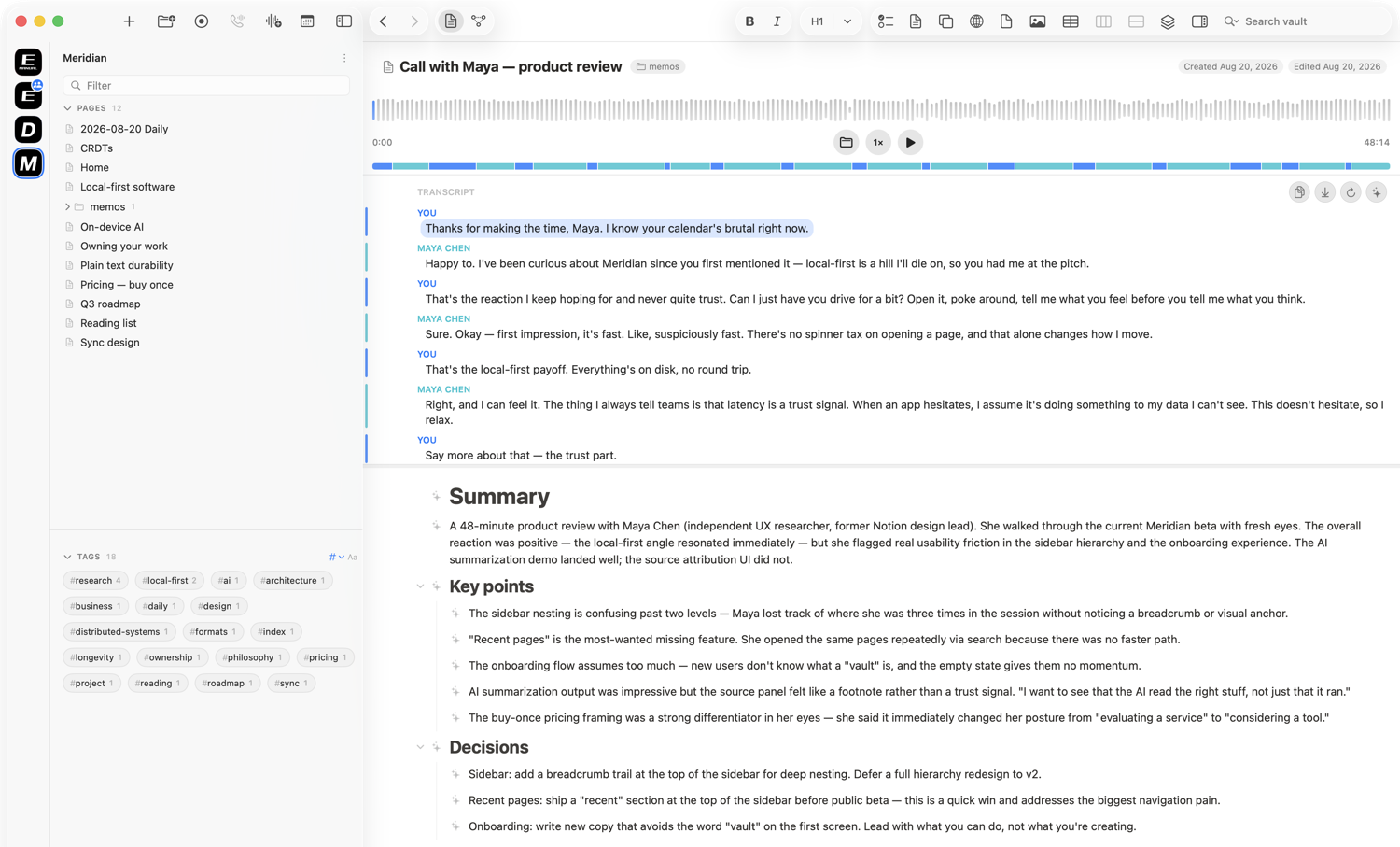
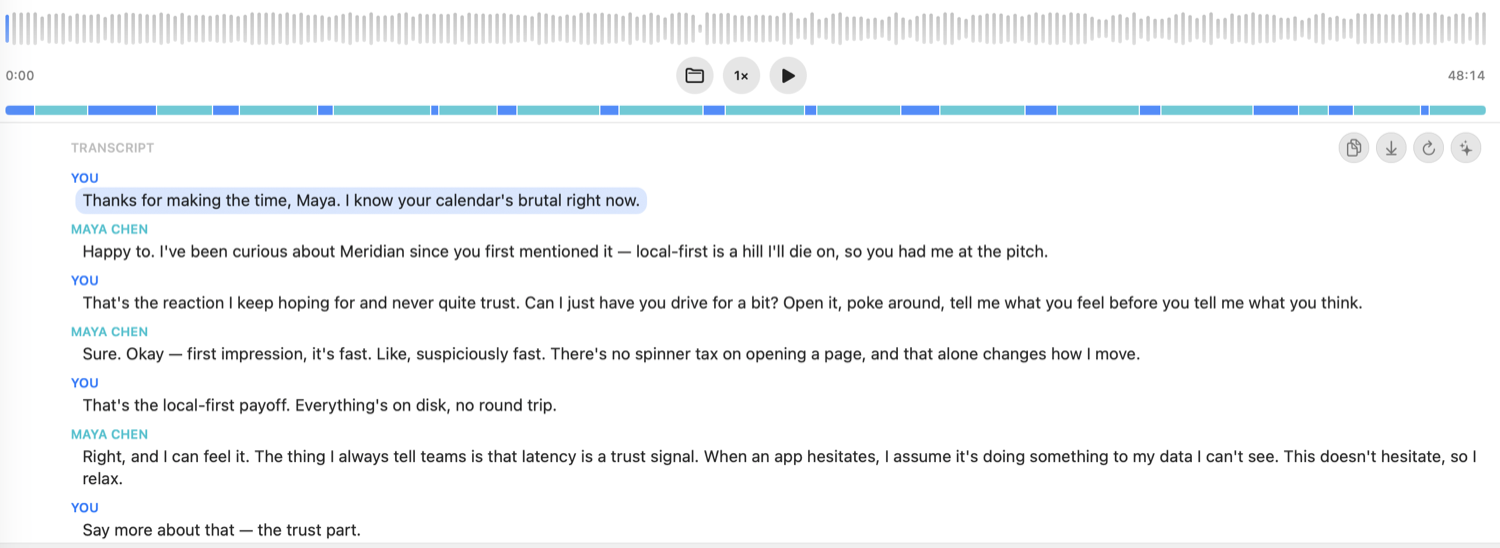
A transcript you can actually work with
Click any line to jump to that second of audio. A ribbon along the top shows who was talking when, and the whole transcript stays selectable, searchable, and yours to copy anywhere.
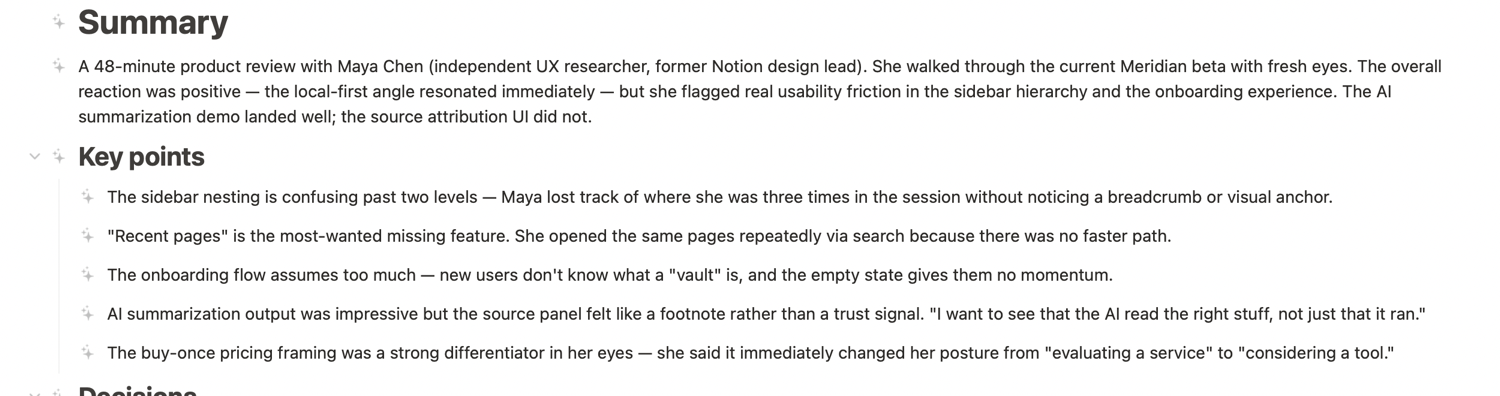
A summary written on your own machine
A local model reads the call and drafts the summary, the key points, the decisions, and the action items. Every block the AI wrote carries a small mark, so you always know what came from the model and what came from you.
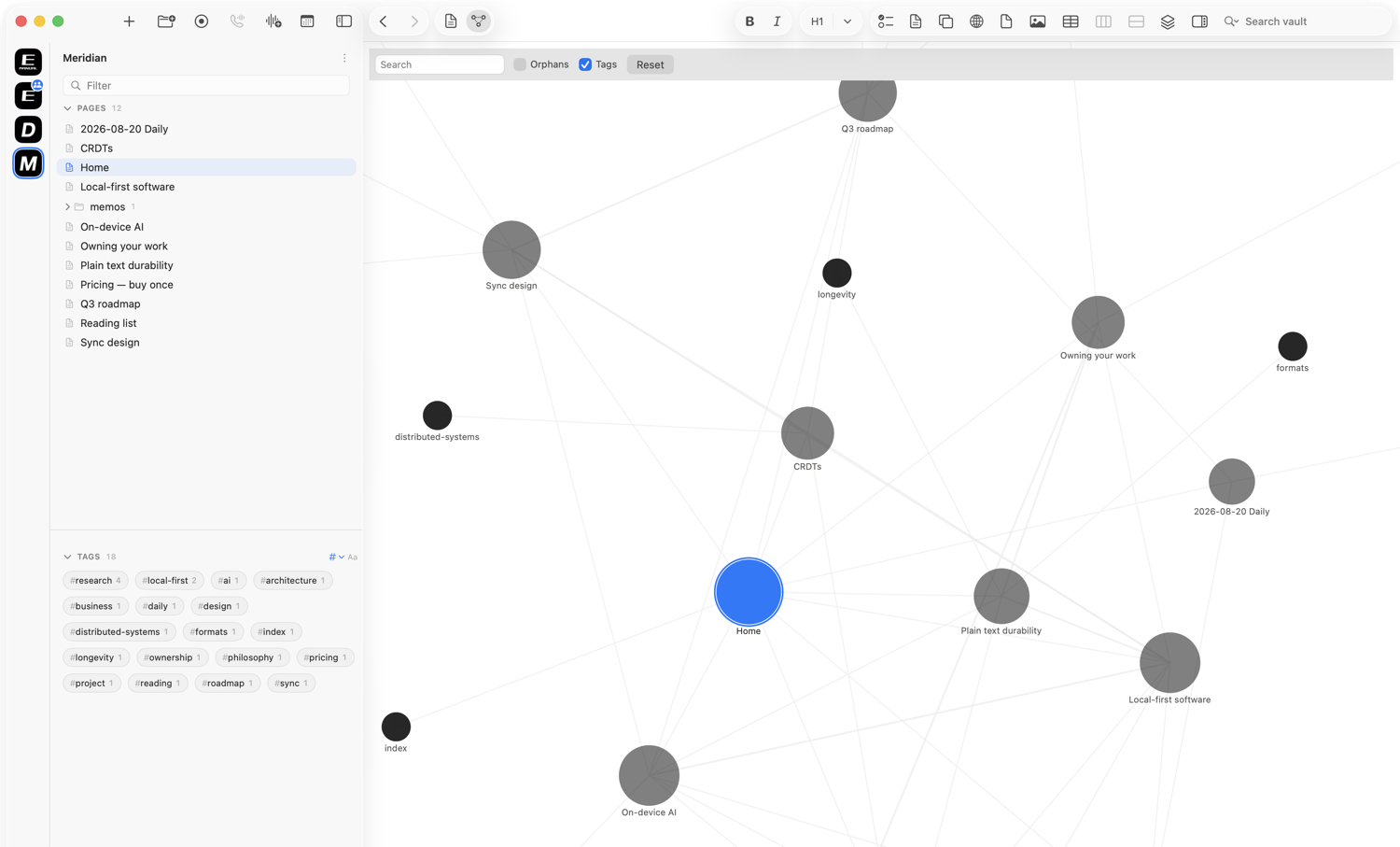
Notes stamped to the moment you took them
The lines you type while recording are timestamped against the audio. A note you jotted at 03:49 takes you straight back to what was being said.
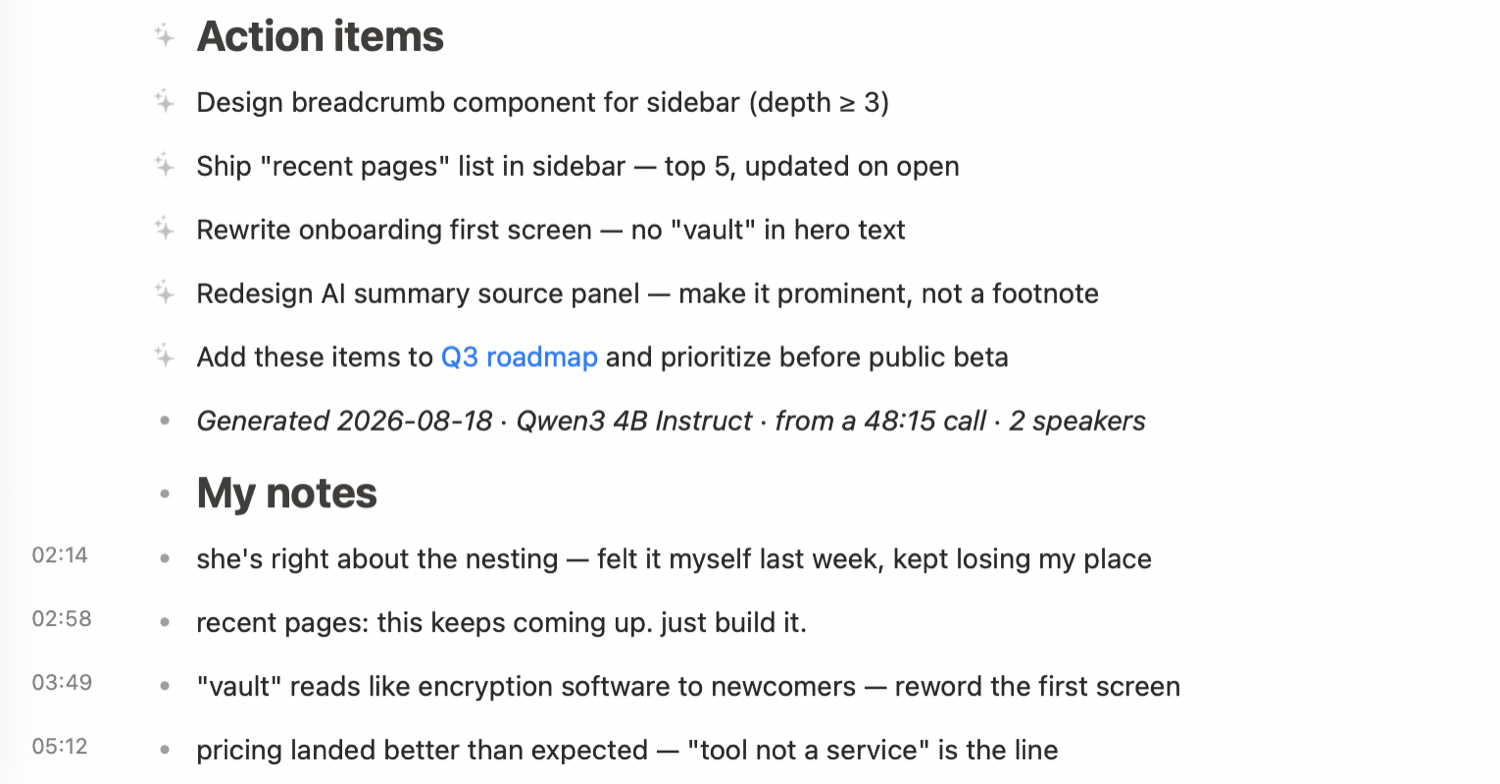
Start recording in a keystroke
Capture a voice memo or a call straight from the toolbar. Pick the source, hit record, and take notes while it listens.
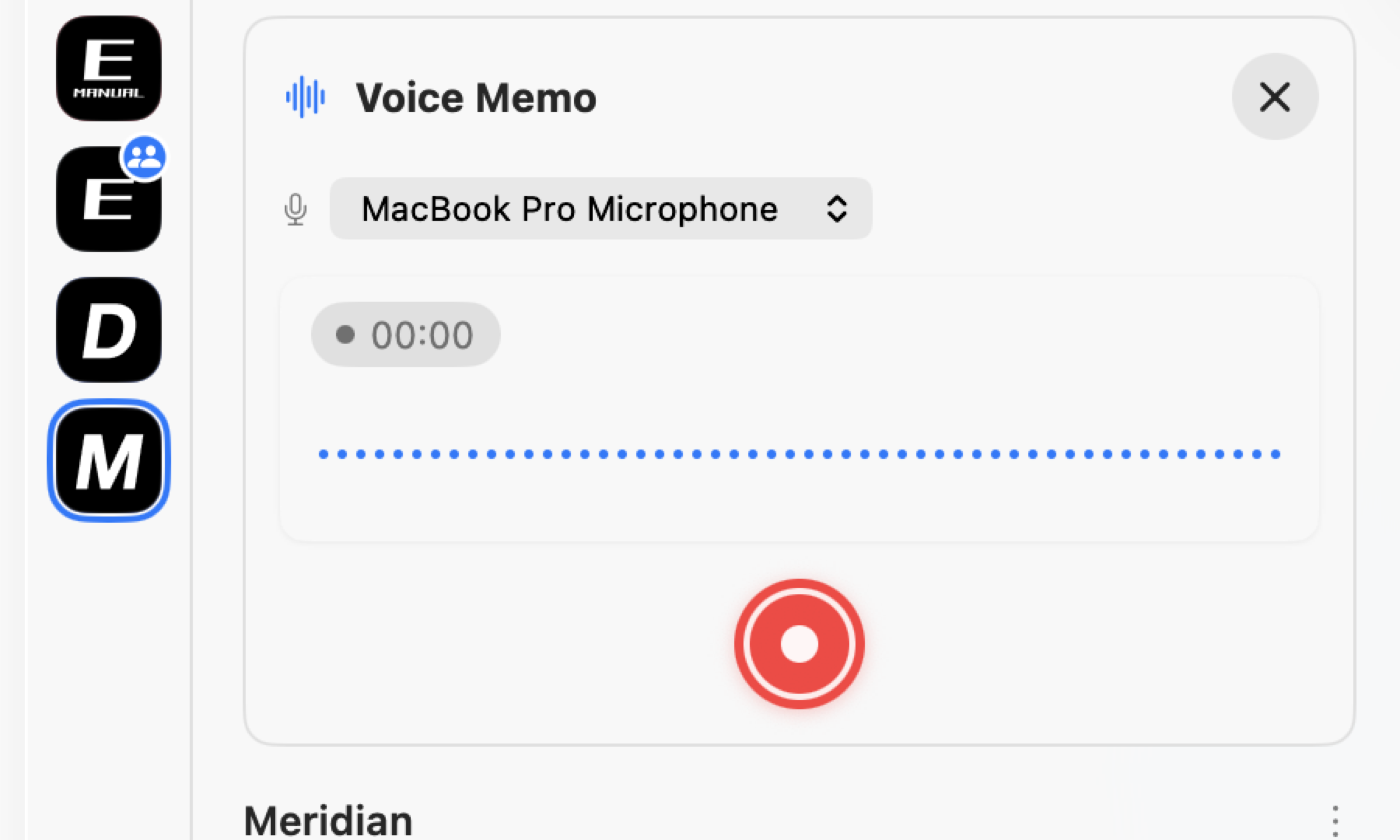
Ask your own notes
The assistant runs a local model over your vault. Ask a question and get an answer grounded in your pages. Nothing is uploaded, and nothing trains a model.
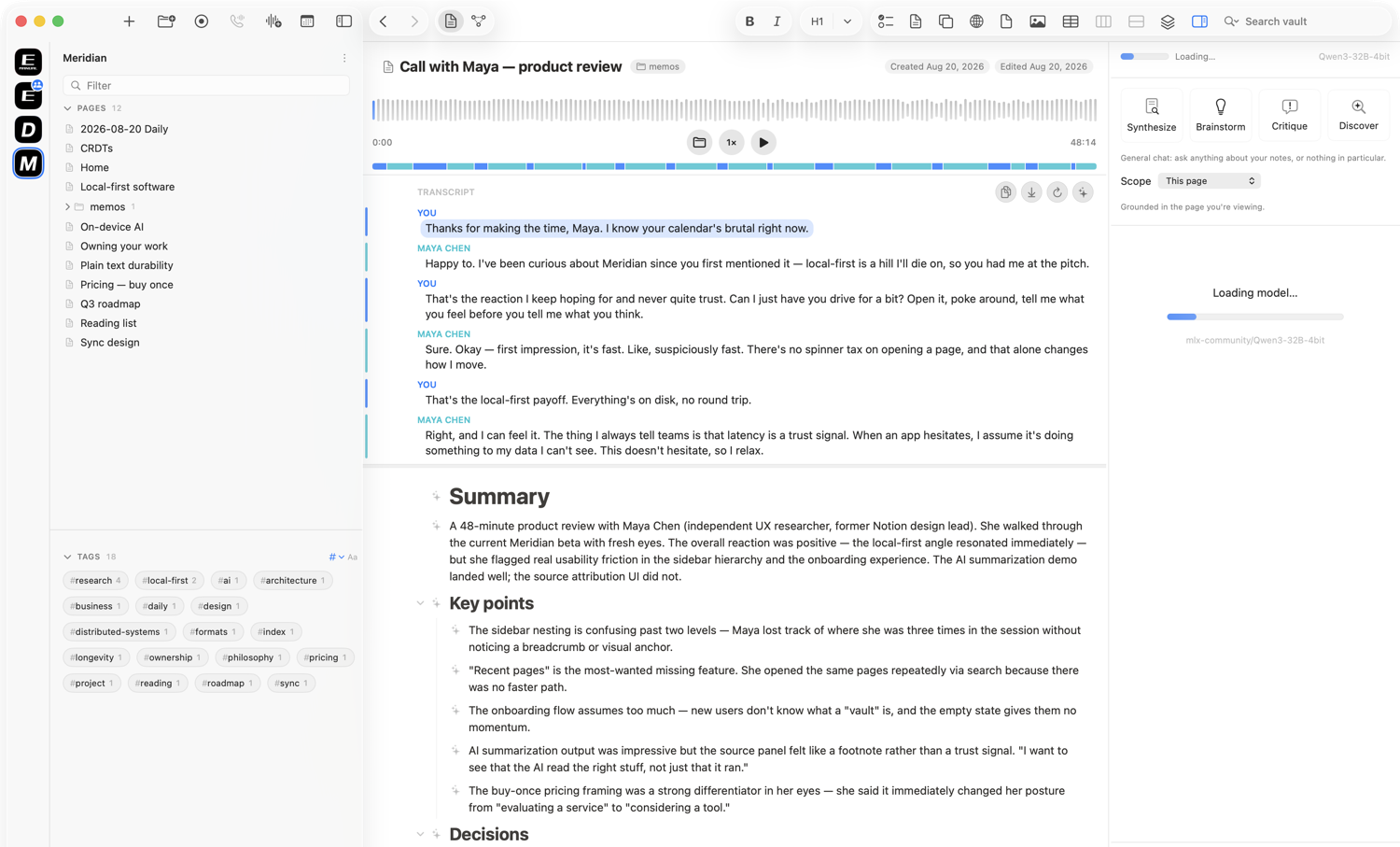
See how your thinking connects
Every page is a node and every link an edge. The graph is built from your vault as you work, so the shape of what you know is always there to walk through.
Every mention finds its way back
Link to a page from anywhere and it appears in that page's linked references on its own. Your notes cross-reference themselves as you write.
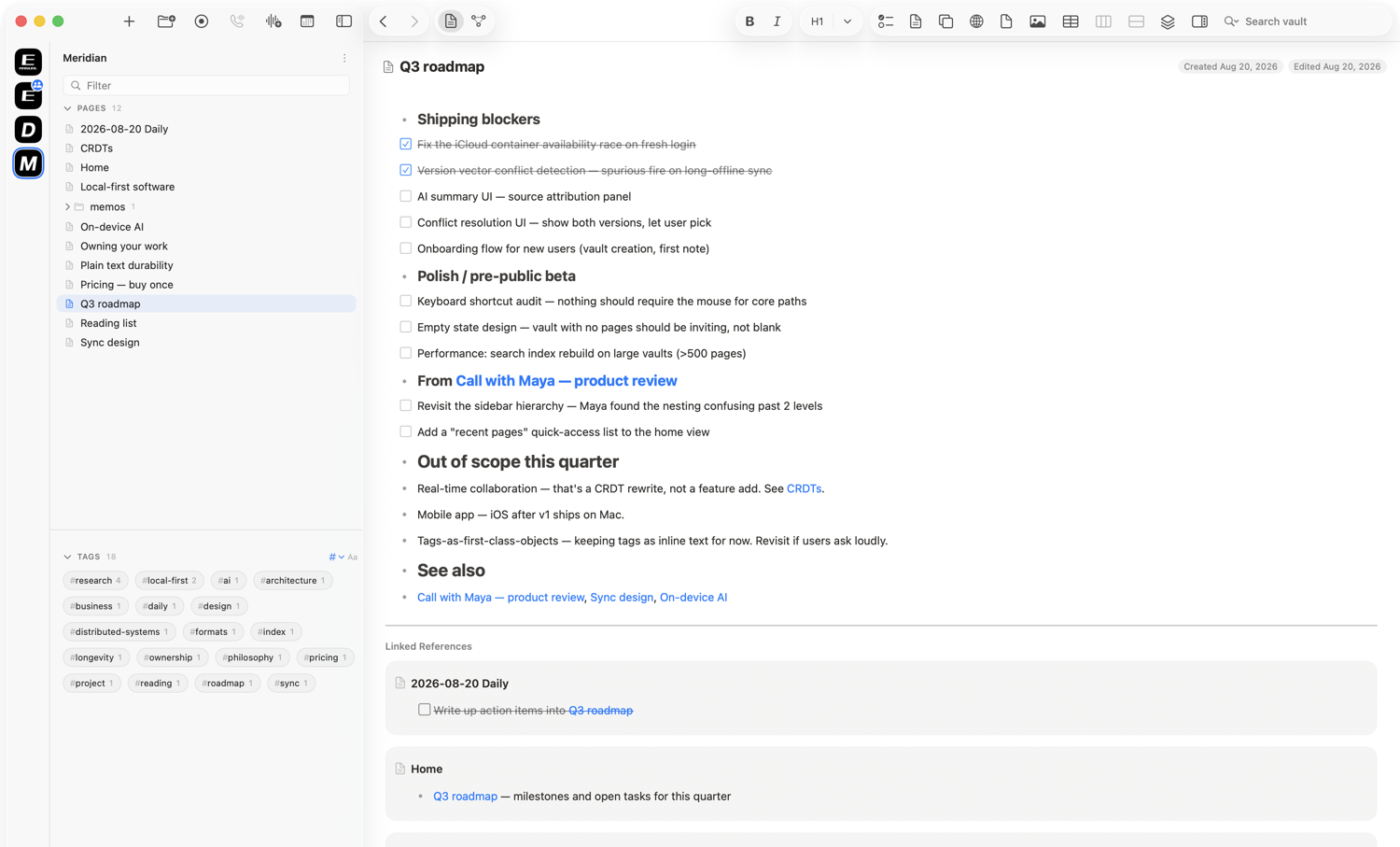
Plans, tables, and tasks in one place
Tables, checklists, and properties live in the same document as your writing. A roadmap, a set of meeting notes, and a to-do list are all just pages.
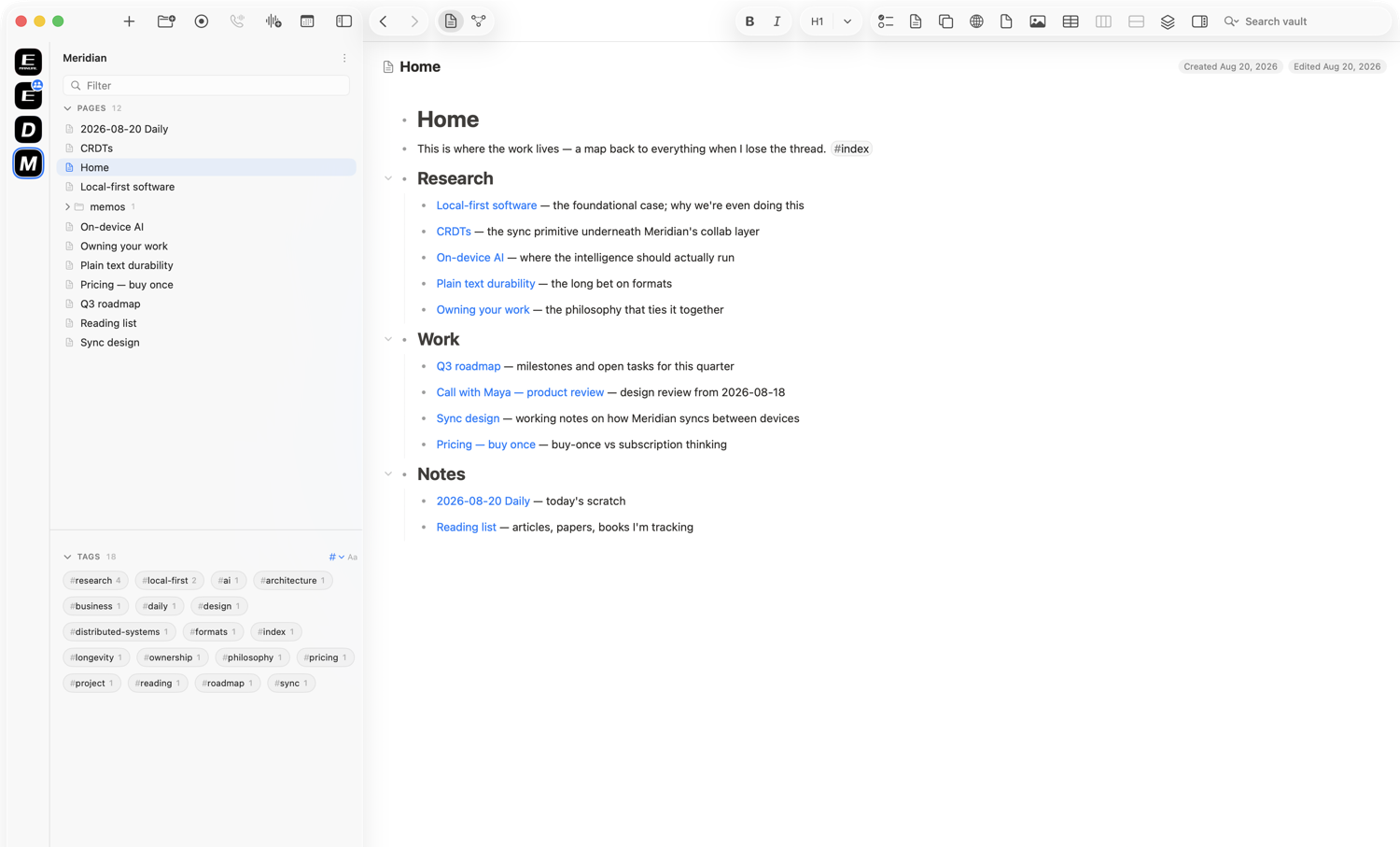
Keep a map of everything
Build a home page that links out to the work, and let the sidebar, the tags, and the graph carry you the rest of the way.
Buy once, update when you want
Own it once.
Yours for good.
Enliner
$30once
That buys the app and a year of updates. After the year, it keeps working forever, free and offline, with everything you already have. Another year of updates is $20 whenever you want one, and it brings every release since.
This is not a subscription. Buy it in year one, use it free through year three, and if year four brings a feature you want, $20 catches you up on all of it. Stop paying and nothing is ever taken away.
Built in the open
Follow the build.
Get early access.
Enliner isn't on sale yet. Leave your email and I'll tell you when the first build is ready. No spam, no list-selling, and you can unsubscribe any time.
Prefer email? Write to enliner@enclave.jp.